
K12 Door Ajar Alerts Schedules Bypass Rules and Escalations
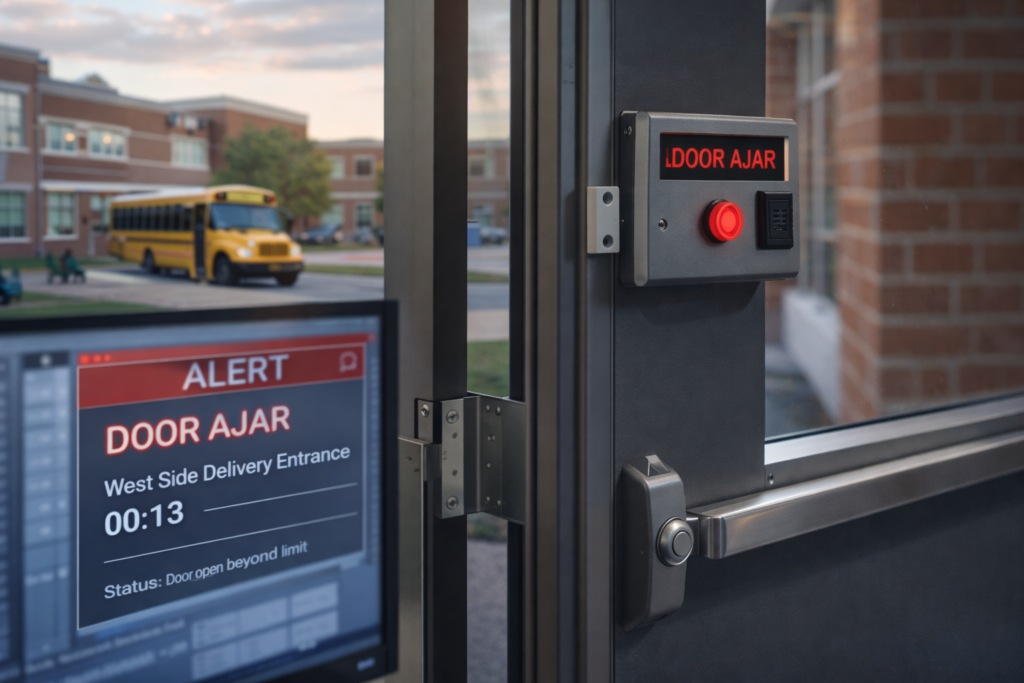
Keeping Doors Secure During a Busy School Day
A busy school day on Long Island can mean a lot of door activity. A side door might get propped open for a delivery, or students might hold a rear door during class change. If no one sees it, that door can stay open far longer than it should, which is a problem for any safety plan.
Door ajar alerts are meant to stop that gap. In simple terms, they are sensors on the doors and software in the background that tell staff when a door is open or unlocked longer than it is supposed to be. The goal is not to alarm every time a door moves, but to flag the situations that matter.
For Long Island K-12 districts, this is not a simple task. Many campuses have multiple buildings, older wings, trailers, or portables, and heavy traffic at arrival, dismissal, and after-school activities. A well-set-up door ajar system should help staff catch issues early, avoid constant nuisance beeps, and fit neatly into the district’s existing safety procedures.
We will walk through how to think about schedules, bypass rules, and escalation workflows so door ajar systems in Long Island schools support staff instead of overwhelming them.
What a Door Ajar System Should Do for Your School
A door ajar system is a mix of hardware and software working together. In plain language, it usually includes:
- Door contact sensors that know when the door is open or closed
- Access control hardware on the door itself, like card readers or electric locks
- Software rules that tell the system what is normal at each time of day
- Notifications to staff, which can be on radios, phones, computers, or hallway screens
- Audit logs that record who did what and when
It helps to understand the difference between two basic events. A “door forced open” usually means the door was locked and someone forced it or pulled it open without a card or key. A “door held open” or “door ajar” means the door was allowed to open, but it stayed open longer than the rule allows. Both matter, but they are not the same thing and should not always trigger the same response.
In many Long Island schools, door ajar systems tie into existing access control, lockdown buttons, and visitor management tools. When they are set up well, all of these systems support each other instead of working in separate boxes.
Factory default settings almost never match a real bell schedule, bus drop-off pattern, or building layout. Configuration is where safety and usability are built. Our team at NCD Communications spends time with principals, custodial staff, and security personnel to see how the building actually runs before we lock in rules.
Building Schedules Around Bell Times and Real Traffic
Scheduling is simply telling the system when a door is allowed to be open, and how long it can stay open before an alert goes out. Each door can have different rules, and those rules can change by time of day.
Typical K-12 patterns on Long Island include:
- Morning arrival with steady traffic at main and side entrances
- Short, intense bursts during class changes
- Lunch periods and recess with students moving in groups
- Dismissal, late buses, and pickups
- Early release or special schedule days
Some helpful timing examples:
- Main entrance: a longer “door open” limit during arrival and dismissal, then a tighter limit during instructional time
- Gym or rear doors: relaxed thresholds during supervised PE or recess, strict rules as soon as those periods end
- Cafeteria doors: alarms tuned to each lunch wave so the system does not alert every single time the line moves
Winter weather adds a layer of challenge. Doors can stick, not latch fully, or be held open by snow buildup or students trying to stay out of the cold. Sensors might see more “almost closed” states. In these months, small adjustments to how long a door can be ajar before alerting can make a big difference.
We often suggest a short tuning phase:
- Start with conservative, slightly looser settings
- Run the system for a week or two
- Review the alert history with administrators
- Tighten or relax rules to cut down noise without giving up security
This kind of review helps the system match the real-life flow of the school.
Smart Bypass Rules for Deliveries, Events, and Maintenance
A bypass is a temporary, approved override. It allows a door to stay open longer than normal without creating nonstop alarms, while still being watched.
Common K-12 reasons to use a bypass include:
- Large deliveries to cafeterias or loading docks
- Sports equipment being moved in and out of gyms
- Community events using certain entrances in the evening
- Regular maintenance or cleaning projects that need doors open
Good bypass practices help keep this tool helpful rather than risky:
- Time limits, so the bypass expires on its own after a set period
- Role-based permissions, so only the main office, custodial supervisors, or security staff can apply a bypass
- Clear on-screen status, so everyone can see which doors are bypassed and why
A frequent frustration is staff tapping “bypass” and forgetting about it, or too many people having that option. Simple software prompts such as “Set bypass for 30 or 60 minutes?” and clear building procedures reduce that risk.
In our work with one Long Island district, loading dock doors used to alarm constantly during known delivery times. By creating scheduled bypass windows tied to those deliveries, and adding clear on-screen notes, the system became much quieter without leaving the area unprotected.
Escalation Workflows That Respect Staff Bandwidth
Escalation is the path an alert takes if the problem is not fixed quickly. It answers three questions: who gets notified, how fast, and what happens if the first person does not respond.
A simple escalation plan for a door ajar event might look like this:
- Stage 1: After the first time limit, the main office or security desk gets a local alert
- Stage 2: If the door is still open after a second time limit, a school resource officer, head custodian, or administrator is notified
- Stage 3: For critical doors like gym exteriors or secondary entrances, if the issue continues, the alert jumps to a radio channel or mobile devices for faster action
Time of day matters:
- During class changes, slightly longer timers and fewer notifications can prevent staff from getting overwhelmed
- After school and evening hours, shorter timers and more direct alerts to the people who are actually on site usually work better
- On weekends and holidays, exterior doors often need the tightest rules, with clear exceptions for custodial work
Door ajar alerts should also make sense alongside lockdown and intrusion systems. Labels like “Door Ajar, After Hours, Cafeteria East” and clear event histories help staff understand whether they are facing a simple oversight or something that needs a higher response.
Our team often works with districts to test these workflows. That can include drills, reviewing event logs, and adjusting escalation paths so they match existing safety plans rather than creating new ones from scratch.
Making Door Ajar Alerts Work for After-School Life
Most school buildings are far from quiet once the last bell rings. There are clubs, athletics, music rehearsals, adult education classes, and community rentals. Many nuisance alerts happen between mid-afternoon and early evening, exactly when there are fewer people in the main office but many doors are in use.
A practical approach is to:
- Define “program zones,” such as the athletic wing, fine arts area, or a specific set of classrooms regularly used after hours
- Set up separate evening schedules for those zones, with slightly different rules from the regular school day
- Assign clear responsibilities for coaches, club advisors, and custodians for checking specific doors
- Use different notification groups after hours, so alerts go to on-site security or custodial staff instead of daytime office staff
Schools on Long Island also see patterns like coaches using side doors, parents waiting in the cold with doors held open, or community groups unsure where to enter. Clear signage, simple reminders to staff, and door rules that match how people actually come and go all help.
The best door ajar systems work hand in hand with easy procedures: end-of-day checklists, quick reviews of after-hours alerts, and small schedule changes before each season or major program shifts.
Turning Door Ajar Data Into Safer Daily Routines
Alert history is one of the most useful parts of a door ajar system. When administrators and facilities leaders look at it at least once per quarter, patterns become clear. Certain doors cause trouble at the same time, under the same conditions.
That information can guide smart decisions:
- Adjusting door schedules and thresholds
- Rethinking drop-off or pick-up routes
- Changing supervision assignments at busy doors
- Deciding which entrances stay unlocked and when
Late winter is often a good time for Long Island districts to review this data, before spring sports and end of year events add more activity. At NCD Communications, our team often sits with safety committees to walk through logs, identify repeat problem doors, and adjust rules or hardware where needed.
Door ajar systems in Long Island schools work best when technology, clear rules, and real daily routines line up. By tuning schedules, defining smart bypass rules, and building sensible escalation paths, districts can give staff tools that support them, lower noise, and keep doors from becoming the weak spot in an otherwise strong safety plan.
Strengthen Your Facility Security With Smart Door Monitoring
If you are ready to modernize your access control, our team can design and deploy reliable door ajar systems in Long Island tailored to your building’s needs. At NCD Communications, we integrate hardware and software so you get real-time visibility, clear alerts, and actionable data from day one. Tell us about your facility requirements and we will recommend a practical, scalable solution that fits your operations. To schedule a consultation or request a quote, simply contact us today.