
Evaluating School Security Software in Long Island Districts
Why School Security Software Decisions Matter Now
School security software in Long Island is no longer a “nice to have.” It now sits at the center of how districts manage safety every day. When a door is propped open, a visitor walks in, or a hallway incident happens between periods, the software is what staff rely on to see what is happening, decide what to do, and act.
Many Long Island districts are feeling real pressure. Camera systems are aging. Buildings have been added on over time, with odd hallways, portables, and shared spaces. Families and staff expect clear, quick responses when something happens. At the same time, administrators are juggling tight budgets and limited time.
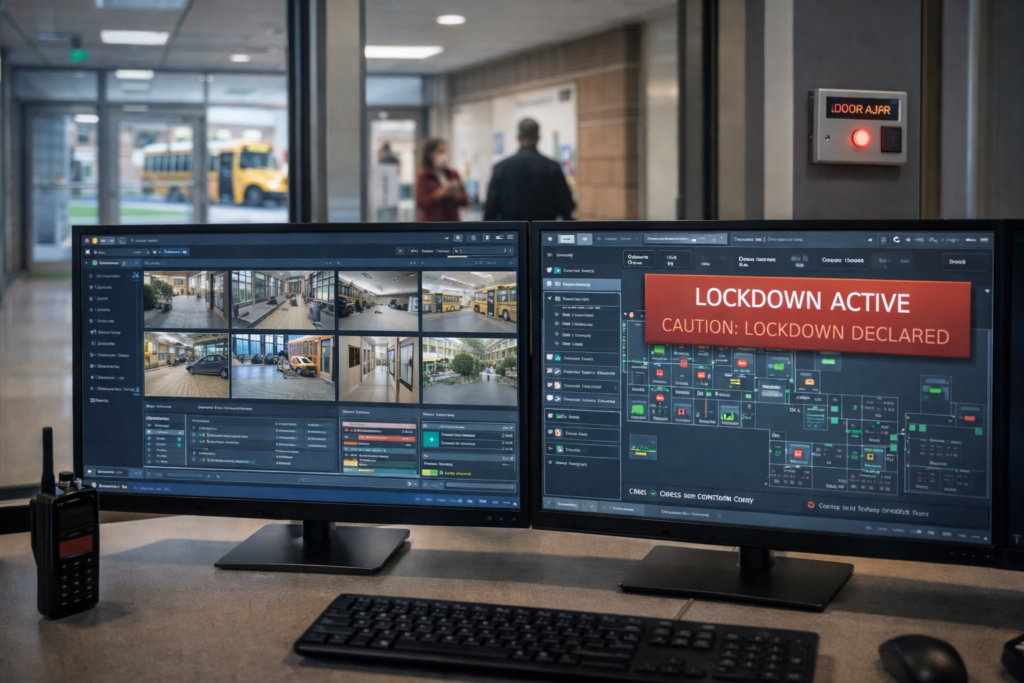
Security software has become the main screen that ties together cameras, door access, lockdown alerts, visitor sign-in, and reporting tools. It is where everything comes together in one place. Late winter and early spring are when many districts begin planning next year’s upgrades and ranking projects. From our work in schools across Long Island, our team at NCD Communications has seen how well-chosen software can make staff feel supported, and how a poor fit can slow them down when they need speed most.
What School Security Software Really Does
When we say “school security software,” we are talking about the tools that administrators, office staff, and security teams use every day. This is not just one program. It is usually a set of connected tools that sit on top of your cameras, card readers, servers, and network.
Common parts of school security software include:
- Video management software to view live and recorded cameras
- Access control dashboards to manage who can open which doors
- Lockdown and alert tools that help staff respond to emergencies
- Visitor management tools to register guests and print badges
- Connections to student information or emergency alert systems
The hardware, like cameras and card readers, only goes so far on its own. If the software is slow, confusing, or poorly configured, staff cannot get what they need in the moment. On the other hand, when the software is clear and reliable, it becomes a calm, steady support during normal days and during stressful events.
This is why infrastructure and software must be evaluated together. A strong camera or access control system can still frustrate staff if they need three different logins, or if it takes ten minutes to pull up a simple playback clip. Good school security software in Long Island should turn all of that hardware into a single, understandable picture.
Key Features Long Island Districts Should Look For
Every district is different, but we see the same needs again and again across Long Island. Below are practical checkpoints districts can use while evaluating options.
- Everyday usability
The software must work for busy people who have many other jobs, not just for IT staff. When we walk buildings with safety teams, some of the most common complaints we hear are, “It takes too long to find video,” or “Only one person knows how to use this screen.” To avoid that:
- Simple, clear screens that make sense without a thick manual
- Fast search tools to find video or door events in minutes
- Easy ways to bookmark and share clips for incident follow-up
- Strong integration across systems
Staff should not have to flip between three windows and two passwords while dealing with a situation. In several Long Island districts we support, we have helped consolidate separate camera, door, and alert tools into one sign-on so the main office can act quickly.
Good integration can allow:
- Cameras, doors, lockdown alarms, and paging to connect behind the scenes
- Doors to lock automatically during a lockdown event
- Alerts to appear on office screens with the right camera views already pulled up
- Remote and after-hours visibility
Schools are used in the evenings, on weekends, and during weather issues. With secure remote access, the right people can see what is happening without being on site.
- Role-based access so district leaders, school resource officers, and custodial staff only see the tools and views they need
- Strong security controls so remote access is safe
- The ability to check doors, review alerts, or view cameras during off-hours activities
Evaluating Vendors and Software for Long Island Needs
Long Island buildings bring their own set of challenges. Many schools have a mix of older wings and newer additions, portable classrooms, and athletic facilities that sit away from the main building. Any software you choose must be flexible enough to work with:
- Mixed wiring and network conditions
- Different brands and ages of cameras
- A variety of door hardware and access points
This is where a careful site walk matters. A helpful safety partner will take the time to see your current layout, understand what absolutely needs attention now, and help you decide what can be phased in later without wasting past investments. Our team routinely walks roofs, boiler rooms, portables, and stadiums with facilities and safety staff to see how people actually move through the day.
Data security, privacy, and compliance should be part of the early conversation. Districts should ask:
- How and where is video stored, and for how long?
- How are user logins tracked and audited?
- How does the system support district policies related to student records and privacy?
- If cloud or hybrid systems are used, how do they line up with your cybersecurity rules and insurance expectations?
Support and training are just as important as features. During the school day, if something goes wrong, you do not want to rely on a slow ticket system. Strong support usually includes:
- On-site training tailored to each role group
- Clear, plain-language documentation for quick refreshers
- A realistic rollout plan that respects the school calendar and staff time
- A clear plan for what happens if there is an issue during arrival, dismissal, or lunch
Making Security Software Work for Your People
The best school security software in Long Island is built around real school days. When we work with districts, we map features directly to daily routines, such as:
- Morning arrival and door monitoring
- Visitor check-in, badge printing, and lobby flow
- Lunch and hallway changes between periods
- After-school programs, athletics, and evening events
- Drills and unplanned incidents
One common issue we help districts address is alarm fatigue. If staff see constant pop-up alerts for minor issues, they begin to tune everything out. Careful configuration can limit alerts to what truly matters and send those alerts only to the people who need to act.
Training should respect staff time. Instead of one large, overwhelming session, shorter, focused sessions by role work better. Front office staff, administrators, facilities, and IT each use the system in different ways. Ongoing refreshers and quick sessions for new staff keep the system from becoming “that thing only one person knows.”
Communication builds trust. Staff, parents, and students should understand what the software does and what it does not do. Clear messages can explain that systems are in place to support safety, not to watch every move. In many districts we support, video and access logs have helped clear up questions about bus lines, hallway disagreements, or property damage, often without escalating tension.
A Practical Roadmap to Upgrade School Security Software
For districts that are ready to improve school security software in Long Island, a simple roadmap helps keep the work manageable.
- Start with an honest assessment
- List current cameras, access-controlled doors, servers, and licenses
- Note where equipment is aging or unreliable
- Capture daily pain points such as slow video searches, missing door logs, or unclear lockdown steps
- Prioritize the first phase
Focus first on:
- Main entrances and primary office areas
- High-activity spaces like cafeterias and key hallways
- Athletic areas and parking lots with frequent after-hours use
Align upgrades with budget cycles, state or grant timelines, and quieter periods in the school schedule, such as summer or long weekends, so disruption stays low.
- Plan, pilot, and refine
At NCD Communications, our team typically supports districts with:
- On-site walkthroughs to understand building layouts and daily routines
- Side-by-side software comparisons focused on usability for school staff
- Small pilot deployments in one or two buildings before a wider rollout
Pilots give principals, office staff, and security teams a chance to test the system in real conditions and provide feedback. We adjust layouts, alerts, and permissions based on what they tell us before the district invests in a full deployment.
Our focus is on long-term reliability, clear explanations, and making sure staff feel steady and confident using the system, not just on getting hardware in the ceiling. When software and infrastructure work together, security tools become a calm, trusted part of daily school life instead of another source of stress.
Strengthen Your Campus With Smarter Security Today
If you are ready to modernize how you protect students and staff, our team at NCD Communications is here to help you design and deploy reliable school security software in Long Island. We will work with your school to understand your layout, existing systems, and day-to-day challenges so your solution is practical and easy to use. To discuss your needs, timeline, and budget, simply contact us and we will walk you through clear next steps.